KDevelop
KDevelop is a free, open source, cross platform IDE.
Import Rebel Engine
From the KDevelop's welcome screen select Open Project.
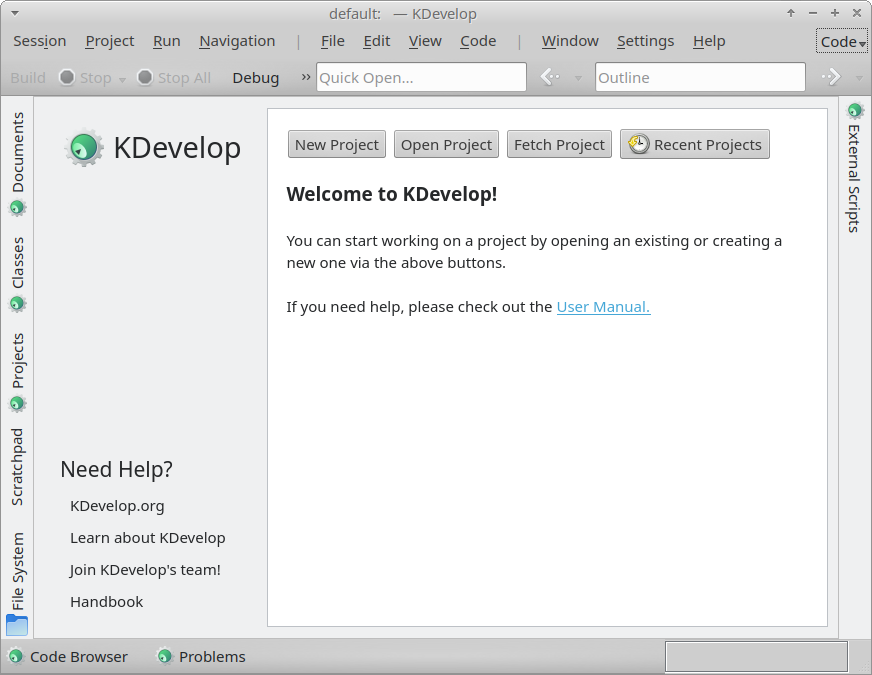
Welcome to KDevelop
Select the Rebel Engine root folder.
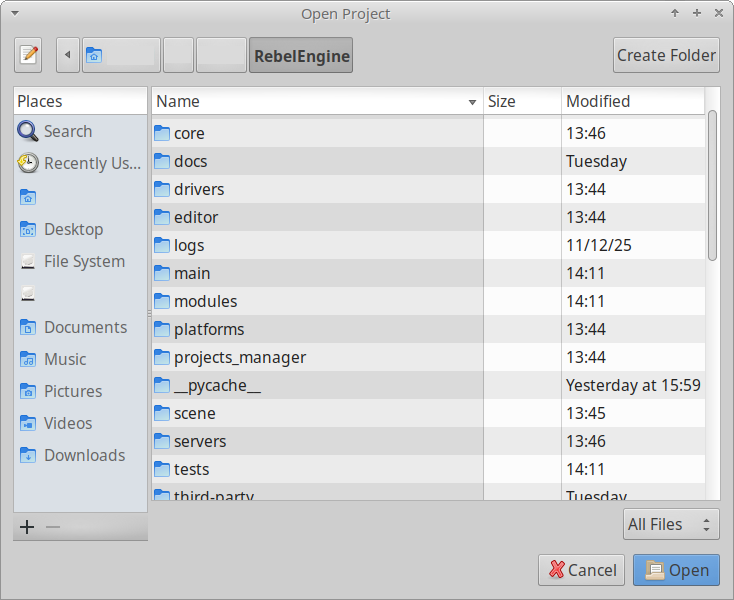
Select RebelEngine root folder
Click Open.
Although, Rebel Engine includes a Basic CMakeLists.txt file, Rebel Engine does not use CMake. Rebel Engine is compiled using SCons.
Under Project Information, choose Custom Build System for the Project manager.
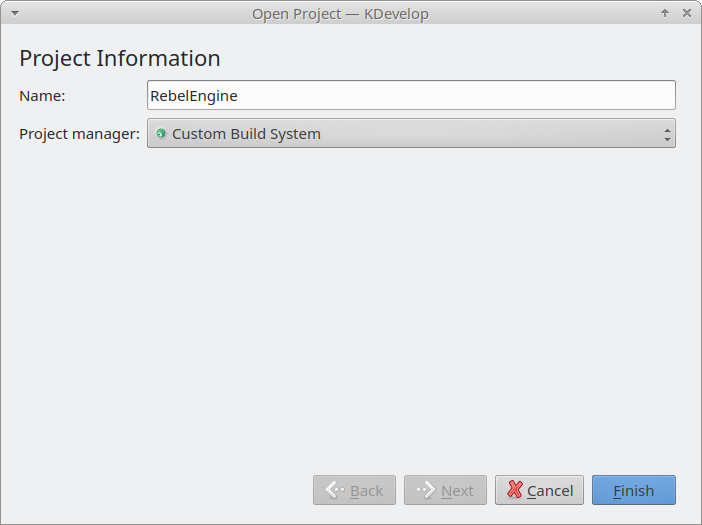
Select Custom Build System
Click Finish and wait for KDevelop to finish importing the project.
Build Rebel Engine
From the Project menu, select Open Configuration….
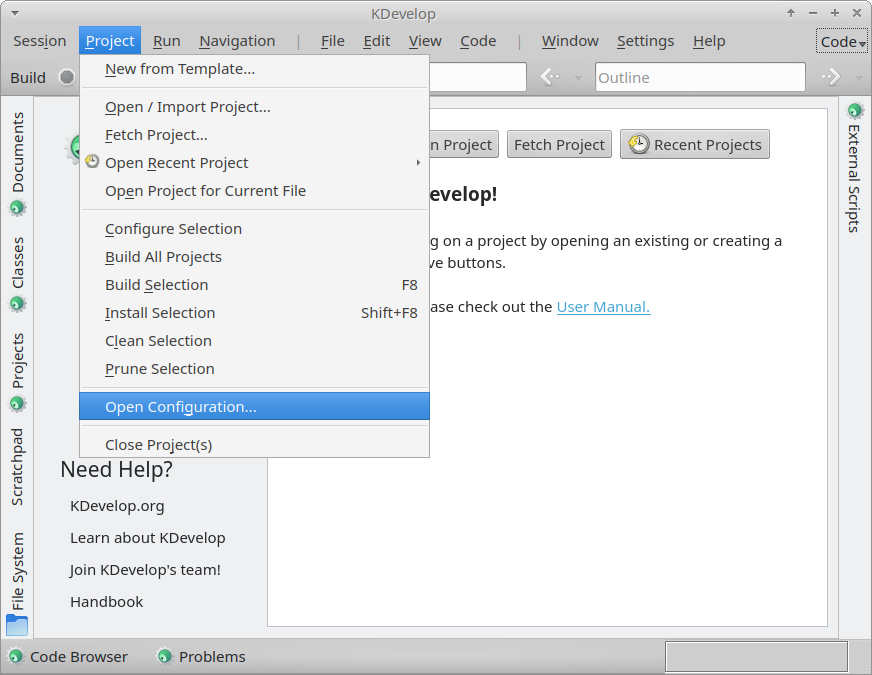
Open the Project Configuration
Select Custom Build System and click Add.
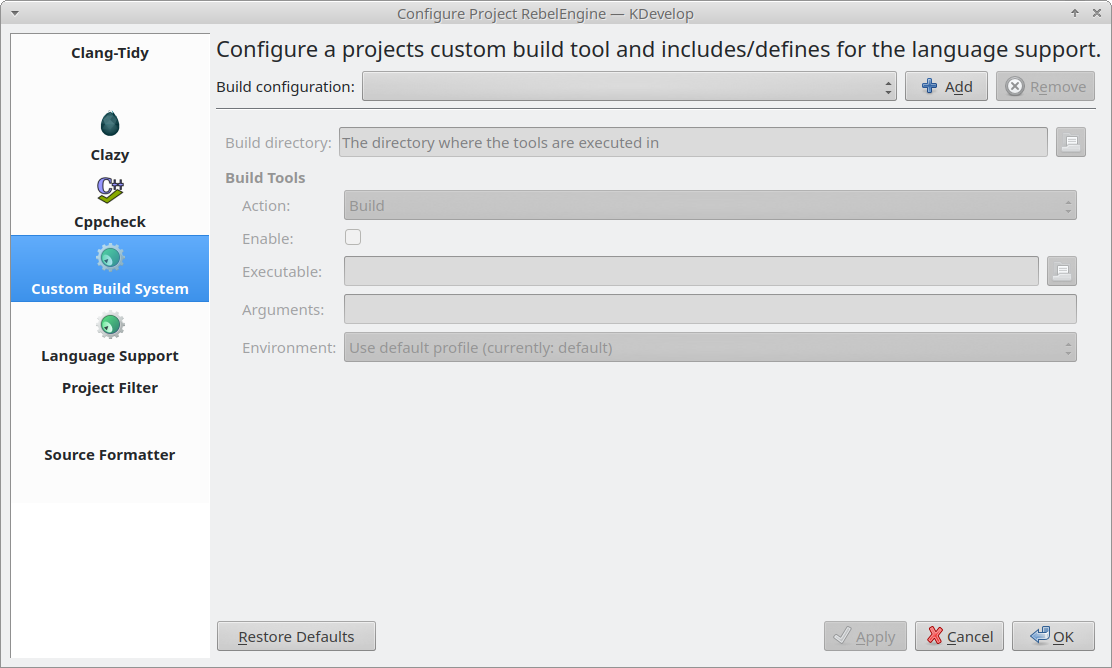
Add Custom Build System configurations
Add your build configurations. Rebel Engine is compiled using SCons. For details on compiling Rebel Engine using SCons, see Introduction to the buildsystem.
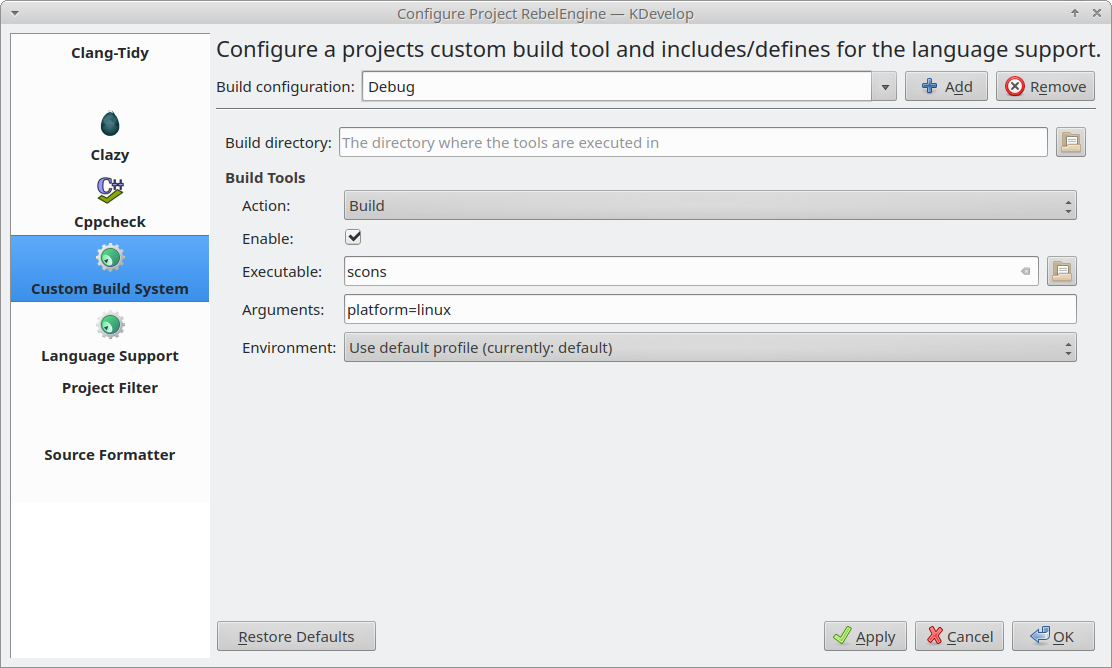
Create your build configurations
Click OK to save your changes.
You can now build Rebel Engine. From the Project menu, select Build Selection, or press F8.
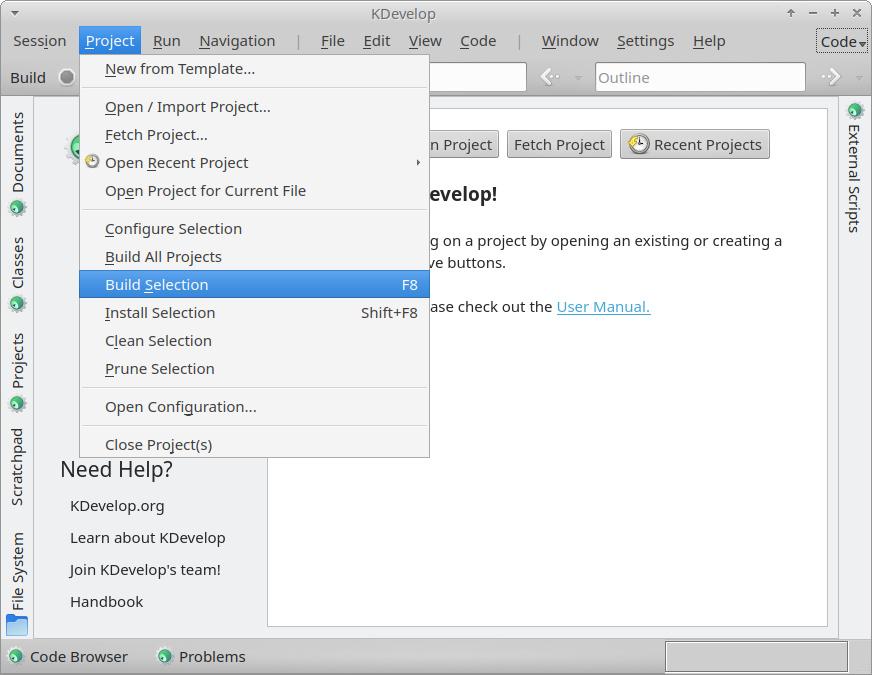
Build Rebel Engine
Configure C++ support
From the Project menu, select Open Configuration… again. Select Language Support.
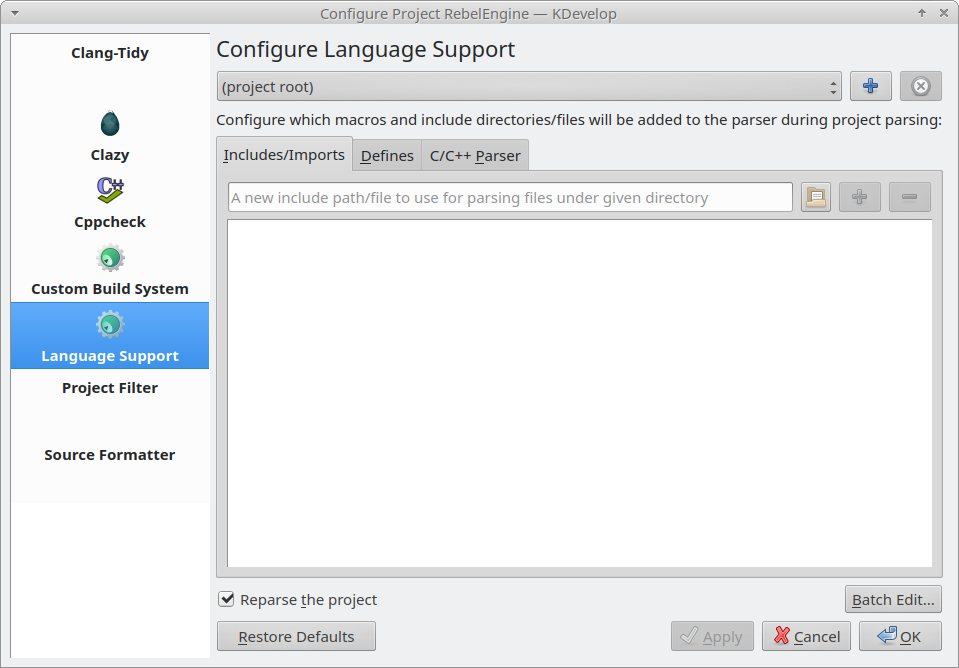
Configure C++ Language Support
Under the Includes/Imports tab, type ., and click the + button.
This will add the project root folder, which is required for correctly parsing the includes.
Ensure Reparse the project is selected. Click OK to save the changes.
Run and debug Rebel Engine
From the Run menu, select Configure Launches….
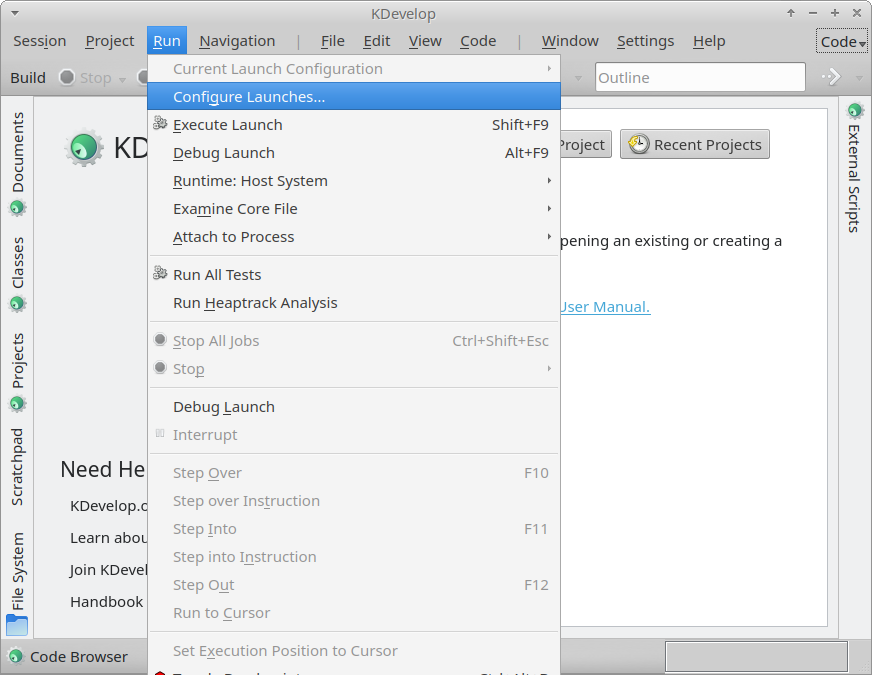
Open the Launch Configurations
Select your RebelEngine project.
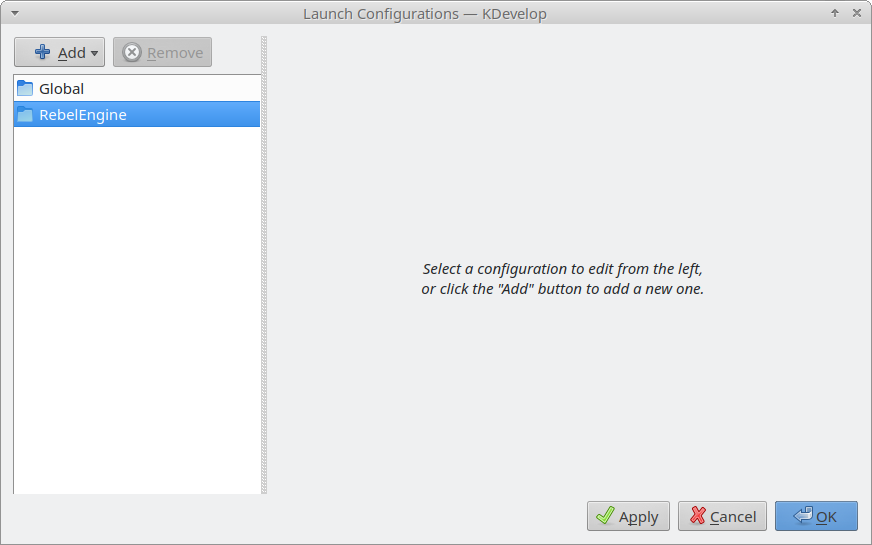
Configure Rebel Engine Launch
Click Add to add a new launch configuration, and select Compiled Binary.
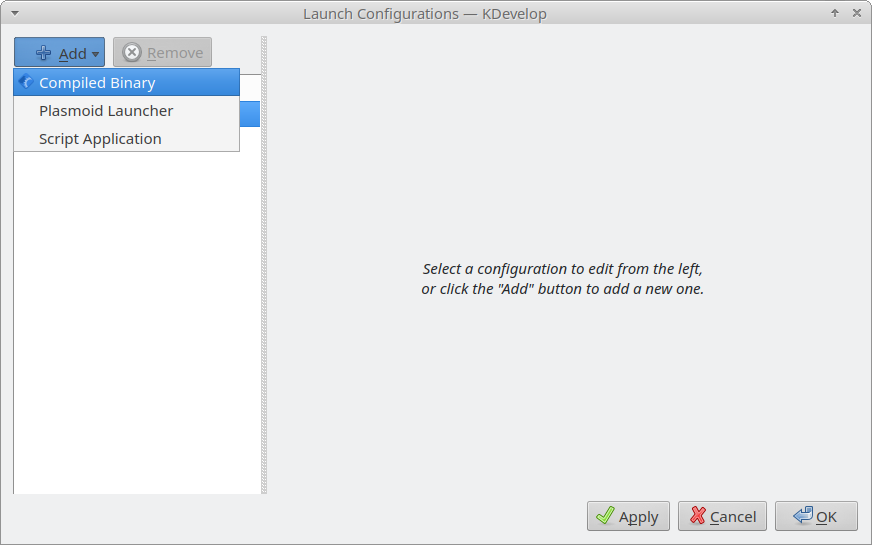
Add Compiled Binary to Rebel Engine launch configuration
For Executable: browse to the bin folder and select the build file created.
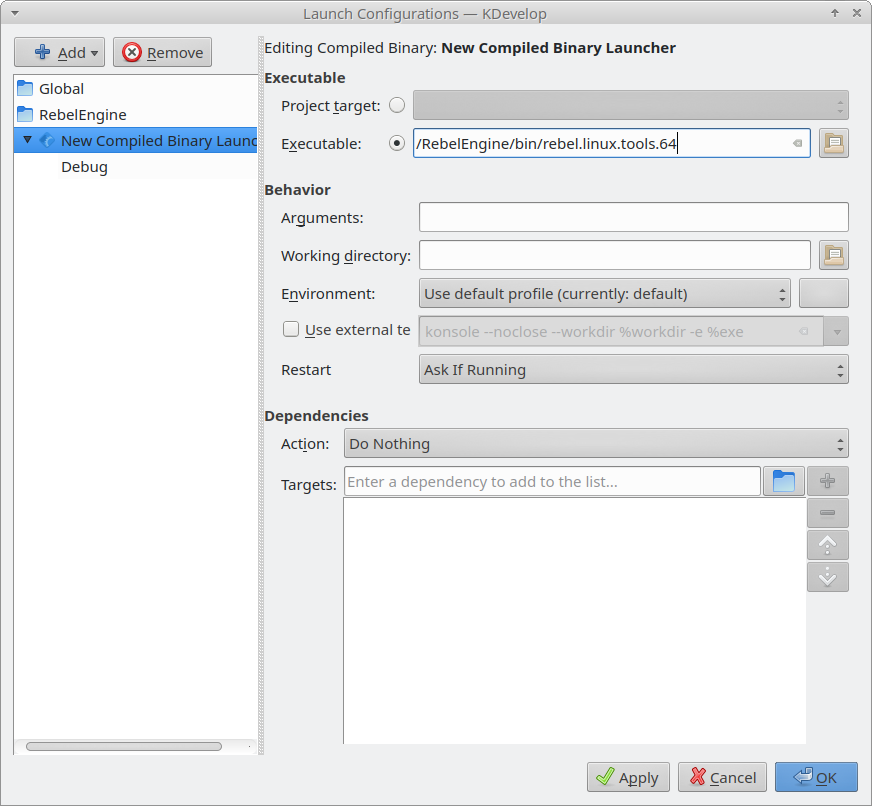
Set Executable to the build file created
Note: To test a specific project, the Working directory field can be used.
Set it to the folder containing the project.rebel file.
Click OK to save your launch configuration.
You can now run or debug Rebel Engine. From the Run menu, select Execute Launch (or click Shift+F9) to run Rebel Engine. Select Debug Launch (or click Alt+F9) to debug Rebel Engine.
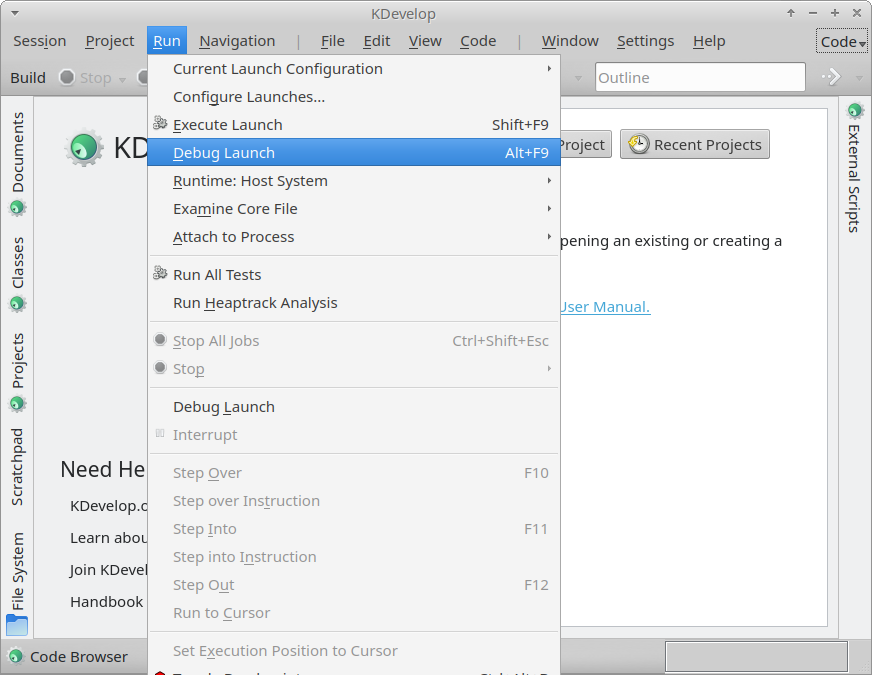
Debug Rebel Engine
That's it! You're now ready to start contributing to Rebel Engine using KDevelop.